
[pdfwp_tool tool=”merge-pdf-images”]
Introduction
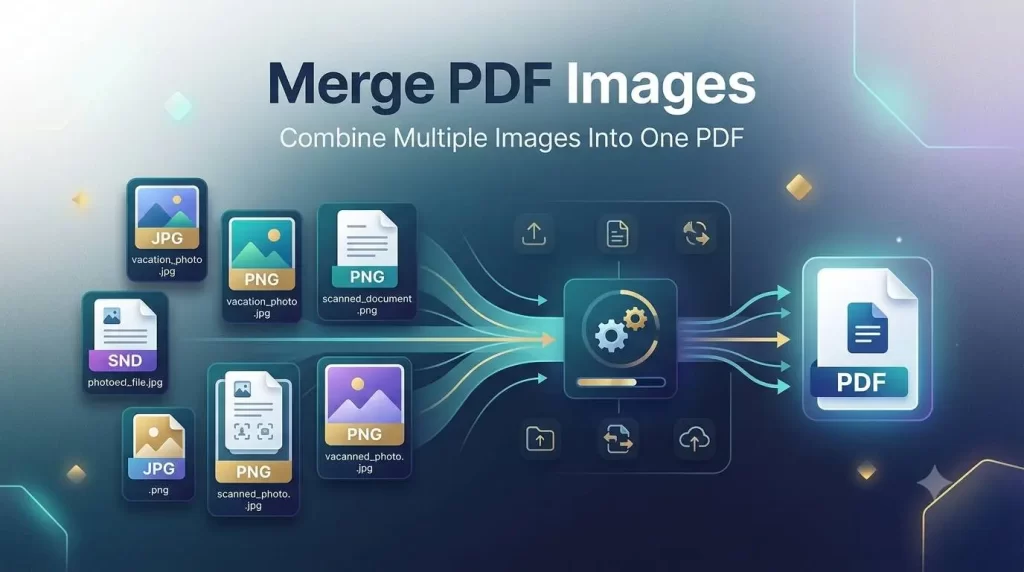
Merge PDF Images handling digital documents has become an integral part of our current generation working, studying and even doing their personal chores. Customers often take screenshots of documents, receipts, notes and even certificates and important pictures using their mobiles or scanners. If they keep these image files all separated, it gets complicated to work with them and impossible to share. This is where Merge PDF Images tools are of great help.
The Merge PDF Images tool enables users to merge several images into one PDF file in a fast and effectual way. If you need to file scanned pages, prepare a business report, submit homework or just for saving significant data, merging images to PDF format is a perfect choice.
PDF is more popular since it preserves original quality, layout, and format on all computers. Creating one PDF from many images is practical for better handling, sharing, and filing.
Learn in detail about Merge PDF Images, its advantages, how it works, key features, uses, how does it compare with other methods and tips to create easy and professional PDF documents.
What Is Merge PDF Images?
Merge PDF Images is a way to combine several images as PDF files. Instead of keeping individual JPG, PNG or scanned image files, you are able to compile them together to make a single easy-to-use PDF file.
Let’s say you had 20 scanning pages of a document saved as an individual image, a PDF image merger would combine all of the pages into a single file. This will make a much more document more convenient to access, view, share, scan and back up.
A good image merging application should be able to work with various image formats, preserve the quality, and let user to select the page sequence.
How Does Merge PDF Images Work?
The process usually follows these simple steps:
- Select or upload your image files.
- Arrange images according to the required order.
- Adjust page settings if needed.
- Click the merge or convert button.
- Download the combined PDF file.
Most web-based PDF utilities do this in a matter of seconds, requiring no real technical know-how.
Why Should You Merge Images Into PDF?
There are many benefits to combine images into PDF format. Students, professionals, businesses and personal use can all take advantage of PDF images together.
1. Better Document Organization
Juggling dozens of separate image files can be a real hassle. Merge PDF images keeps all of the pages grouped together.
As an example, the student can create one file in pdf where he would have created several folders of images for.
2. Easier Sharing and Collaboration
Different images may be tiresome to send via e-mail or text. How about putting them in a downloaded PDF?
Businesses commonly use merged PDFs for:
- Reports
- Invoices
- Contracts
- Presentations
- Customer documents
3. Maintains Image Quality
An excellent PDF image merger should not alter the resolution or format of the uploaded images in any way. This is important to keep the text, graphics and other indicators legible.
4. Saves Storage Space
Optimizing the contents of a well configured PDF file is capable of minimizing the wasted storage compared with maintaining hundreds of individual image files.
5. Professional Document Appearance
Having just one PDF is more professional looking than a number of image attachments. It looks more structured and organized.
Merge PDF Images: Key Features to Look For
Select an appropriate PDF image merging application to make your task of PDF file merging easier. The software should contain a set of features that can simplify your task of document processing.
| Feature | Description | Benefit |
|---|---|---|
| Multiple Format Support | Support JPG, PNG, BMP, and more | 16+ image supported for more flexible upload |
| Drag & Drop Upload | Uploads images to the tool faster | Saves time |
| Page Layout | Permits users to change the order | Produces neatly-organized documents |
| High Resolution | Output retains image quality | Generates crisp PDFs |
| Fast Processing | Completes merging quickly | Improves productivity |
| Secure Processing | Safeguards uploaded files | Ensures confidentiality |
| Mobile Compatibility | Compatible with mobile devices | Access to edit functions on the go |
How to Merge PDF Images Online Step by Step
Users are free to use online Merge PDF Images tool without downloading any software. Web-based utility makes merging PDF images easier.
Step 1: Choose a PDF Image Merger
Choose a reliable online service that allows converting and combining images into a PDF file.
A good tool should provide:
- Simple interface
- Secure file handling
- Fast conversion speed
- High-quality output
Step 2: Upload Your Images
Insert the images you plan to combine. In general, the majority of the options allow files types such as:
- JPG
- JPEG
- PNG
- TIFF
- BMP
Upload scanned documents, photos, screenshots, or other image files.
Step 3: Arrange Images in Correct Order
The order of images will be the order of pages in your PDFs. Double check your files and reorder pages accordingly.
For example:
- First page: Cover page
- Second page: Main content
- Last page: Supporting information
Step 4: Customize PDF Settings
Some advanced tools allow users to modify:
- Page size
- Image orientation
- Margins
- Compression level
- File quality
Using either of these options helps add professionalism to what you produce.
Step 5: Merge and Download
Once you’ve finished editing, hit the merge button. The tool will merge all the images you selected into a single PDF file which you can then download and share.
Merge PDF Images vs Other File Formats
Selecting the appropriate document format will be dictated by your intent. PDF is still amongst the most dependable formats as it guarantees uniformity and compatibility.
| Format | Advantages | Limitations |
|---|---|---|
| Professional, secure, great for sending large files | Requires PDF viewer | |
| JPG | Small sized images | Handling 2 or more pages is hard |
| PNG | High resolution images | Larger file size |
| Word Document | Easily editable | Format might be altered |
| PowerPoint | Great for slide shows | Not so great for storing documents |
Common Uses of Merge PDF Images
Images blending tools are being widely used by people for personal as well as professional reasons.
Education and Students
Students frequently use PDF image merging for:
- Combining handwritten notes
- Creating assignment files
- Submitting scanned documents
- Organizing research materials
Having only one PDF for each academic submission makes the process much simpler and ensures it looks more professional.
Business Documentation
Companies use merged PDFs for:
- Employee records
- Financial reports
- Client documents
- Legal paperwork
No business is complete without its well-organized digital archive for smooth working.
Personal Document Storage
Individuals can combine:
- Identity documents
- Certificates
- Receipts
- Medical records
- Travel documents
Save it as a single PDF file.
Benefits of Using an Online Merge PDF Images Tool
Online tools are another viable option in place of more traditional offline software.
No Installation Required
Users can use these tools straight from the browsers without any need to download any big applications.
Works on Multiple Devices
Most online PDF tools work on:
- Windows computers
- Mac devices
- Android phones
- iPhones
- Tablets
Saves Time
A one-click solution to combine images into documents. Rather than typing in images users can combine dozens of files in seconds.
Beginner-Friendly Interface
The contemporary PDF tools are designed in such a way that novices can perform tasks using them without any technical knowledge.
Advanced Features of Merge PDF Images Tools
Apart from simply combining files, a modern merge PDF images tools allow users to construct a professional, streamlined, and streamlined PDF document according to their specific demands.
1. Image Reordering and Page Management
With a proficient merge PDF images tool, you will maintain command over every single page prior to generating a last document. This function comes in handy whenever handling scanned papers that do not have a logical document flow during uploading.
You will discover just how easy you can:
- Navigate page ordering up or down
- Discard useless pictures
- Flip misaligned document alignments
- View image layouts before merging
Correct file control promotes efficient reading and boosts the document viewing encounters.
2. Image Quality Control
When your pictures go through conversions right into PDF documents, top quality needs to be a key element. A top-quality merge PDF images online tool guarantees clarity on your papers, records signatures, and also graphics after processing.
Look for these attributes in an excellent combine PDF pictures online instrument:
- High-resolution outcome
- Scalable compression attributes
- Preserve text quality
- Native photo formatting
Keeping quality standards helps a lot for company reports and academic files.
3. Cross-Platform Compatibility
An honest pdf images combiner works successfully on various platforms. Users can seamlessly merge photos using:
- Windows laptops
- Mac OS systems
- Android tools
- iOS tools
- Tablet units
This makes you ready to create an organised paper even when you’re not sitting in the middle of your workplace.
How to Merge Multiple Images Into One PDF Without Losing Quality
Many people get rid of their dreams regarding producing high-quality documents due to an assumption that all photograph-PDF conversions lower clarity. But that’s not actually the case. A few easy pointers allow you to preserve document standards.
Best Practices for High-Quality PDF Creation
Utilize Images of Higher Quality
Constantly make use of crystal clear photos that maintain the best feasible resolutions. Uploading fuzzy or compressed images produces low-quality output documents.
Select the Right Image Layout
Each record layout offers different functions:
- JPG: Ideal for images
- PNG: Suited to screenshots and also text
- TIFF: Recommended for professional scanning
Stay Clear Of Excessive Compression
Compression is crucial for lowering document dimension. Nonetheless, keep it modest to prevent document loss.
Order Images Before Merging
View the photographs before processing as well as ensure you fix the page placement.
Merge PDF Images for Different Users
The function that PDF photos consolidating instruments provide fits the diverse requirements of different customers. Let us determine them:
Students and Researchers
Students utilize Photo merge PDF instruments for a multitude of purposes, including:
- Handwritten notes
- Scanned homework
- Images from study materials
- Screenshots from textbook presentations
PDF merging devices help them consolidate these records into one file. Benefits include easier homework submission, effective note preparation, simplified communication with trainers, and also lessens file confusion.
Businesses and Professionals
Documents can quickly pile up within an enterprise. Combine pictures to PDF applications enhance document administration as well as allow people to keep track of product documents, financial reports, contracts, receipts, as well as client communications. These applications provide organized documentation, which enhances performance.
Photographers and Designers
A blend images to PDF creator aids photographers, graphic designers as well as artists craft sleek as well as professional digital portfolios, presentation layouts, project work files, and client sneak peeks. Consolidating your efforts into a PDF document is one means to market yourself and attract prospects.
Online Merge PDF Images vs Desktop Software
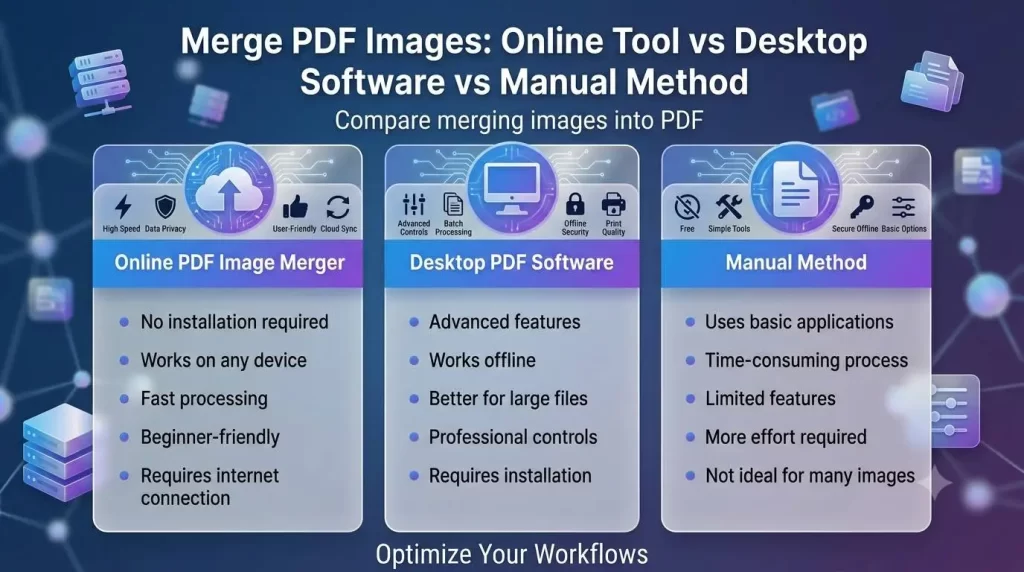
Weighing the benefits of an online device versus the efficiency of a desk software, you will find each offers distinct perks based on your requirements:
| Category | Online PDF Photo Merge | Desktop PDF Software |
|---|---|---|
| Installation | Doesn’t require installation | Requires software installation |
| Accessibility | Works anywhere | Uses on the desktop computer |
| Price | Typically free and freemium-based | Requires purchasing license |
| Speed | Quick for typical tasks | Works best with larger projects |
| Updates | Automatically updated | Needs manual updating |
| Storage | Uses server storage | Uses device hard disk storage |
Which Choice Is Better?
The internet combine PDF photo online option is readily available, user-friendly, as well as useful if you primarily need basic merging capabilities. Nevertheless, if you consistently require comprehensive controls or manage complex projects involving enormous data volumes, a dedicated desktop computer application may be a far better selection.
Security and Privacy When Merging PDF Images
Your papers include sensitive info—your passport, your business agreements, or your individual medical care records. If you’re uploading them onto any kind of on-line forum, ensure you only trust sites you feel confident doing so.
Look for a trustworthy on-line platform that guarantees the adhere to protections:
- Secure file transferring
- On-request photo delete feature
- Private details security plan
- No data being recorded
Recommendations to Maintain Your Document Safe:
- Don’t upload private/private files on unverified online applications
- Always employ trustworthy PDF consolidation services for job involving such documents
- Get rid of unnecessary details prior to uploading
- Download as well as remove copies from server, immediately after download to computer/mobile machine
Common Mistakes While Merging PDF Images
Merging PDF documents sounds basic yet it often involves few blunders that undermine the whole document. So, stay away from making them.
- Uploading images of low top-quality
- Failing to examine their order
- Utilizing unaccepted photo layout
- Too compression level reduces document readability
Expert Tips for Creating Professional PDF Documents
The following actions will assist you develop expert quality, clean results:
- Pre-Sort Your Images Prior to Uploading: Rename all documents based on their correct order, such as photo-01.jpg, photo-02.jpg etc before merging them. This helps immensely with sorting as well as ordering procedures later on.
- Consistently examine your images and documents from every angle to guarantee appropriate orientation prior to creating the document.
- Optimize the file measurements: Don’t over-compress because it damages the pictures and also make sure your files are very easy to carry around.
- If your file is highly sensitive or entails the need for added security, include passwords to the PDF file before sharing it.
- Give your finished document a final check: Ensure everything flows properly, all text remains intact, and no pages are misplaced, missing, or distorted.
Why Merge PDF Images Is Important for Digital Workflows
Today’s shift to “paperless” work environments means individuals as well as organizations are searching for better means to handle info. The capability to combine PDF images provides several advantages that suit digital workflow techniques:
- Changes printed documents to electronic data
- Simplifies data access and storage
- Enhances record sharing among groups
- Minimizes the consumption of physical documents
- Facilitates greater collaboration amongst staff and peers
The development of online work environments has made this method more desirable. The need to work with PDF files and also share them swiftly online has also given rise to the relevance of this attribute.
Featured Snippet: How Do You Merge PDF Images?
To combine PDF images: Upload your image files into a merge PDF image tool. Ensure you arrange them in the desired order and adjust the settings if necessary. Click the “Merge” button. The program will then generate a single PDF file from all your uploaded images, which you can download and share with others.
Most Commonly Asked Questions About Merge PDF Images
1. Which is the easiest way to merge pdf images?
To merge PDF images in the easiest way you can use an Online PDF Image Merger. You should upload your images, order the pages, click merge, and the tool will automatically merge all the specified pictures into a single file.
2. Can I merge multiple JPG pictures into one PDF document?
Indeed, JPG is among the common formats compatible with Merge PDF images tools and the file you choose can also be of any format i.e. PNG format and many other compatible. You may merge dozens of images into just one document of a specified format.
3. Does merging pictures in PDF reduce quality?
Yes, merge PDF Images services tend to reduce quality during the process and a reliable service provider ensures you to use a minimum ratio of 240-300ppi during the document creation so that images in your resulting PDF document appear crisp and clear to most of the standards, including printing requirements.
4. Is it possible for me to merge pdf pictures on my phone?
This has been enabled now so to manage to merge all of your PDF pictures you do not require a desktop computer but the merge PDF pictures are available in mobile supported forms as mobile applications are available on popular platforms that are ideal for users of smart phones to organize documents for immediate purposes.
5. Is merging pictures online safe?
Merging PDF images on OnlinePDFMerge.com is safe as long as you are dealing with known platforms or services but it’s always best to avoid opening your private documents or anything you do not want other individuals know about. A legitimate PDF merger should secure your details as possible.
6. How many images can I convert and merge into a PDF?
Different Merge PDF Images tools available support different file numbers. However, modern tools enable a huge number of files, usually dozens at least up to the filesize as decided by the service provider you have chosen.
7. Can I change the order of the PDF merge images?
You most probably want to create files for school assignments or you want arrange documents in an orderly way for your company business processes. When selecting Merge PDF Images to have a document, an organizer lets you re-arrange and order them how you want to organize.
8. What’s the difference between merge PDF images and create PDF?
When we Merge PDF Images, this process implies taking the desired pictures and arranging them together to create PDF format document whereas Creating PDF document implies making a general PDF document from any form like text, data from computer documents, PowerPoint presentations and so on.
Merge PDF Images: Complete Comparison Guide
Picking out a PDF merge solution may also be dependent on the target objective, expertise as well as your resource level. The merge PDF images guidelines include the subsequent:
| Method | Best For | Advantages | Disadvantages |
|---|---|---|---|
| Online PDF Image Merger | Beginners and usual document work | Quick and ease of work; no need for new software | Only applicable if Internet is connected |
| Desktop PDF Software | Professionals | Complex document formatting; offers more advanced capabilities | Most are chargeable for professional use |
| Manual Word Method | Small task or only a single PDF | Readily accessible; does not require downloading or purchase | Tedious & laborious job; may also damage image |
| Mobile Applications | Smartphone owners | Mobile accessibility | Limited with basic capabilities |
Future of PDF Image Management
Digital data and paperwork processing have grown increasingly popular as the demand for paperless documents increase for organizations and schools worldwide. Document processing technologies and especially the PDF management applications, become an automated tool enhanced by technology including the use of artificial intelligence to improve processes and increase information security.
Future improvements foreseen include:
- Enhanced automation features
- AI based technology for image enhancement
- Artificial Intelligence tools to automatically create readable PDF images
- Quicker PDF creation process via cloud services
- Greater security protections for stored documents
EEAT Perspective: Why Choose Reliable PDF Tools?
To be deemed trustworthy or not, Google usually weighs content based on several criteria including the author’s Experience, Expertise, Authoritativeness, and Trustworthiness (EEAT). A reliable PDF Images merging solution that deserves respect, must showcase the subsequent benchmarks:
Experience
Competent PDF Image merging tool recognizes user inconveniences that arise when managing separate photo files, such as quality degradation, incorrect arrangement, or inflated file sizes.
Expertise
Professional PDF merging applications offer features that reflect detailed knowledge of the document imaging process and provide options for: Compressing files, selecting image formats, ensuring data security, and optimizing quality.
Authoritativeness
Recognized and highly valued PDF document software build authority through years of reliable operation, a proven track record, and transparent work standards which ensures satisfactory results.
Trustworthiness
To guarantee data safety and prevent misuse, a reliable tool must implement: Data privacy regulations, secure file handling protocols, fair terms of service, and overall safe document operations.
Conclusion
Working with several digital image files can complicate your work significantly. Choosing an efficient PDF Merge Images tool helps to bring a positive transformation in how you handle your documents.
Regardless of what kind of job you do—from students creating study guides to professionals making reports and records—merge pdf pictures tools allow to create simple but compelling PDF documents out of your images; that saves time, preserves image quality and ultimately saves you the stress of figuring out how to do it by yourself. The best PDF merge image solutions save your time, efforts and allow to accomplish.