
[pdfwp_tool tool=”pdf-to-base64″]
Introduction
PDFs are everywhere. We encounter them for bills, reports, application forms, contracts, official certificates, and basically any other kind of document imaginable. In many cases, simply attaching the PDF to an email or uploading it to a website is all there is to it.
However, in the world of application, API, or web-based systems which expect text input, the process isn’t always the same. This is where ‘Convert PDF to Base64’ becomes your new best friend.
Base64 is the encoding standard that allows you to represent a PDF file as a long string of text characters. In cases where you can’t send the actual binary PDF file, your program can send its contents in a Base64 string, particularly for JSON, API requests, JavaScript applications, automated workflows, and others which require text input.
In this guide, we will explain what PDF to Base64 means, how it works, when you should use it, and what you need to know before encoding your documents.
What Is Convert PDF to Base64?
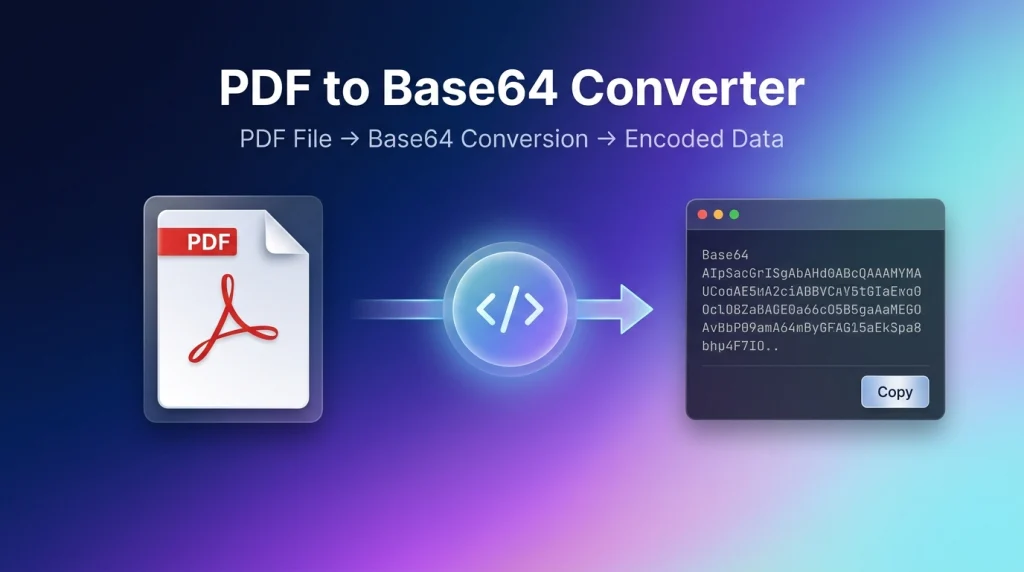
PDF to Base64 conversion simply means taking the binary content of a PDF document and creating its Base64 text representation from it.
A PDF contains binary data that computers can understand, but many other systems cannot process it directly. Base64 helps bridge this gap by describing things using text-based inputs.
There’s no physical conversion of the file itself. When we ‘convert’ a PDF to Base64, the end result is just a string that contains the original document’s information that we can convert back to the PDF document at any later stage.
For instance, a typical Base64 string might look like this:
text
JVBERi0xLjQKJcfsj...
This string can be very long depending on how big your PDF document is. What’s important is the information that this string holds, which allows us to reproduce the PDF document.
So, Does Base64 Turn PDF into Another Document?
No. PDF is an actual document format; Base64 on the other hand is an encoding process. You might think of them like the following: PDF is the story, and Base64 encoding is one way we write that story for computers that like to read text. You can get the document back with its original format from Base64.
Why Convert PDF to Base64?
At first glance, transforming a perfectly functional PDF file into a large string may not seem necessary for most scenarios. However, for developers who need to communicate with certain types of applications, this information has become essential.
Imagine you have an application that needs information about a file but cannot accept the actual file as a binary upload. Instead, the application expects a text value, often within a JSON string, that identifies the file and its content.
1. API Integration
One of the most popular reasons developers go down this road is because some APIs don’t accept the full binary file but a Base64 string representing the document. A simple request would look something like this:
json
{
  "filename": "invoice.pdf",
  "document": "JVBERi0xLjQKJc..."
}
The software that is expecting to receive the data decodes the Base64 string and retrieves the actual PDF content of the file, making it accessible even from different software systems.
2. Applications Working with JSON
Because JSON needs to work with values expressed as text only, a Base64 representation is ideal for passing a whole PDF into a JSON object, especially to an API.
3. Web Applications
These tools let users select a PDF file for a specific purpose and then use JavaScript or other internal processes to extract its Base64 content. The application can then send this Base64 data through an API to another application or service.
4. Automation Systems
One of the best applications is using your PDF through automated workflows. For example, an automated system can generate a PDF file, transfer it through an automated workflow, and store it in an automated storage system. This could significantly reduce integration costs among systems that process these data differently and expect different formats of communication.
5. Testing and Development For Convert PDF to Base64
This could be something very minor but essential for testing applications and system integrators/testers who might need samples of the file when conducting API tests. It saves the pain of continually generating or re-uploading the file itself—just copying a string makes life much easier during development and bug-fixing.
How Does PDF to Base64 Encoding Actually Work?
At an extremely high level, the entire process is rather elementary.
When you convert a PDF file to Base64, code interprets the raw PDF data and encodes it as a text string. This Base64 string allows you to use the PDF across different applications and data-handling environments.
⚠️ Important Security Note
PDF to Base64 is NOT encryption, which is vital to point out because anyone having access to a Base64 PDF will also be able to reconstruct it. You will absolutely never use this if you really need to secure your documents. Always go for HTTPS and proper authenticated channels!
How to Convert PDF to Base64 Online
If you do not know how to actually carry out this type of conversion by code or scripting, an online PDF to Base64 converter should do it.
Here’s how it normally works to convert PDF to Base64 using online tools:
Step 1: Choose the PDF You Wish to Convert PDF to Base64
Browse your disk or files for the PDF you want to convert.
Step 2: Upload the PDF
Upload your selected PDF document to a chosen online converter. A recommended tool should clearly state its file size limits and the document formats it supports.
Step 3: Start the Conversion
As soon as you upload the file and click the button, the software analyzes the PDF’s data and converts it into a Base64 string.
Step 4: Collect the Code
The generated Base64 string is now given to you. Simply copy it from the input form or download it (for example, the code above that starts with JVBER…).
Step 5: Use Your Code
You can now place this data into your application. If you are concerned about the privacy of files you send online, choose tools that prioritize local processing or have a strong reputation for data security.
File Size Considerations
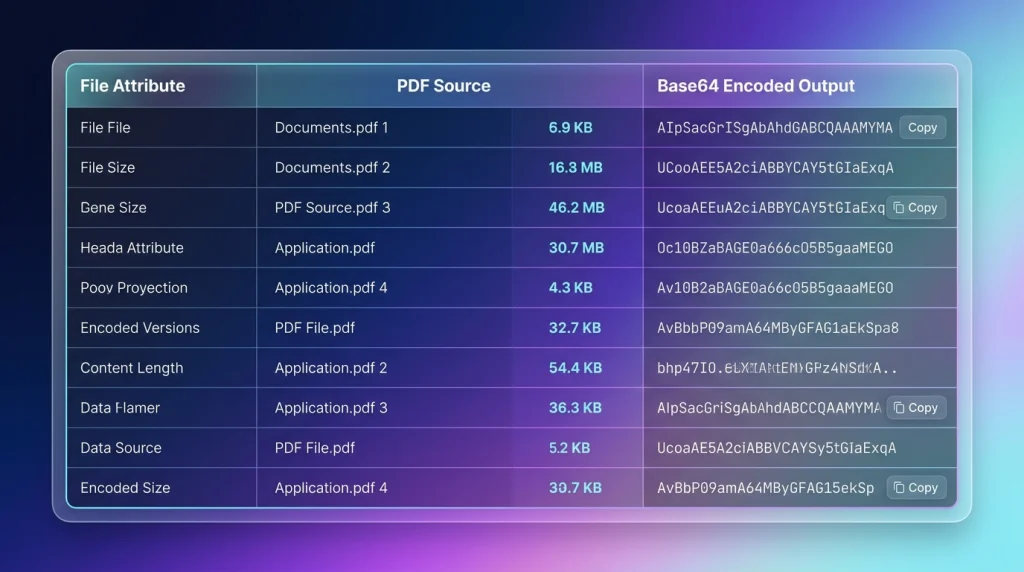
One major drawback is that Base64 produces a larger representation than the original binary file. Basically, you should always know how it might enlarge your binary file:
- On average, Base64 will make files increase in size about 33%
- For example, a 3 MB PDF can become approximately 4 MB when converted to Base64, even before adding transmission headers or formatting.
- The actual size may vary, but overall, Base64 does not shrink your file but makes it larger in order to convert binary to text
Implications:
- Bigger data to send when transmitting large documents
- Potentially exceeding API limits
- Impact on database size if stored
- Increased bandwidth usage
- Mobile applications might suffer more because they typically don’t tolerate bigger amounts of memory
- Browser limitations that would affect the system
Small documents can accommodate this increase, while larger ones can present issues.
Convert PDF to Base64 for Developers
For any developer who needs to encode a PDF, there are many solutions they can pick from.The approach you choose depends on the programming language you use and where you perform the conversion.
JavaScript
JavaScript can take the user-selected document, parse it, and encode it in Base64. Often, the browser’s FileReader API is used:
javascript
const input = document.querySelector("#pdfFile");
input.addEventListener("change", () => {
  const file = input.files[0];
  if (!file) return;

  const reader = new FileReader();
  reader.onload = () => {
    const base64 = reader.result.split(",")[1];
    console.log(base64);
  };
  reader.readAsDataURL(file);
});
This works well for in-browser tools when a developer must first work on the document before sending it to a server. The script can also be utilized for custom PDF converters.
Python
Python includes a built-in base64 module for dealing with this kind of conversion:
python
import base64

with open("document.pdf", "rb") as pdf:
    base64_data = base64.b64encode(pdf.read()).decode("utf-8")
    print(base64_data)
When opening the PDF, be sure it is opened in binary mode ("rb")—this is crucial as PDFs aren’t just text. Python scripts often handle automation, backend operations, and scripts.
PHP
PHP utilizes the built-in base64_encode() function to perform this encoding:
php
$pdf = file_get_contents("document.pdf");
$base64 = base64_encode($pdf);
echo $base64;
PHP is useful as it will allow your web pages or backend to include encoded data when making API calls.
What Does a Base64 PDF Look Like?
A Base64 PDF is quite easy to identify, being nothing other than a string of random-looking characters, often with a beginning that relates to the content of your document.
You will want to note that you can’t reliably determine whether the entirety of the string represents a complete PDF file simply from the starting characters alone, especially as complete Base64 document strings can be enormous. For that reason, you will typically never have to view a whole string in normal practice, instead transmitting or storing it programmatically.
In addition to a simple Base64 string, you will often see a format called a Data URI, like the one shown below. The important pieces are:
application/pdf— to declare that we have a PDF filebase64— to explain how it has been encoded
text
data:application/pdf;base64,JVBERi0xLjQK...
When to Use a PDF Base64 Converter
PDF to Base64 converters are useful in a variety of scenarios where the destination requires or benefits from the Base64 encoded form of the document. Some common use cases include:
- Using documents via API (web-based tools for example)
- Working with other services or tools that use JSON
- Testing API services
- As part of certain web-based applications
- For connecting applications together
- Automating documents in a workflow
- Sending a document to another application that expects it encoded in Base64
- Creating development and test applications
Note: Base64 is obviously not the solution to everything. If an API supports direct binary uploads or multipart uploads, it’s much better to use those means to send the original PDF file.
When NOT to Use Base64
PDF to Base64 should not be your immediate thought in certain scenarios due to potential issues:
- Handling a massive 50MB file using Base64 for each of the thousands you might be processing will require a vast amount of unnecessary memory
- This also increases network overhead; when working with a large number of files, the increase will quickly become an issue
- Many applications prefer or require direct file uploads instead.
As a general rule of thumb:
Only use Base64 when you explicitly need the PDF as a text file, and not simply because the term sounds neat.
Benefits of Convert PDF to Base64
Encoding your PDF file into Base64 can serve a variety of purposes:
- Text format: Converts the PDF file to plain text that a wide variety of systems are capable of handling
- Use with APIs: JSON and other text-based formats often interact well with Base64 encoding
- Automation: Most programming languages include readily available functions for encoding and decoding
- Platform independence: Because all encoded information will eventually reach its destination where it can be converted to a PDF using various programming languages, you are ensured cross-platform functionality
- Excellent for testing: Developers can use this for many testing methods when developing new APIs and websites
- Reversible: The PDF is not irrevocably changed by this process—it can be returned to its original binary file
Limitations of Base64
This method comes with several known downsides:
- Large sizes: The resulting encoded file is roughly one-third larger than the original
- Increased memory: The system uses up a substantial amount of extra memory when it receives data for an encoding operation
- No security: This process has absolutely no ability to secure the file it encodes. If anyone obtains the Base64 data, it is not much harder to access it than it would be with the original file
- Limit per API: Because Base64 requires more data, request size may become a limitation on the recipient side
- Extra processing: Both the encoding and decoding stages require CPU for further processing
Decoding Base64 Back to PDF
If your Base64 string is accurate, it’s possible to reverse the Base64 encoding process, as long as you know that the document you have obtained contains PDF content.
Example in Python:
python
import base64

with open("document.pdf", "wb") as pdf:
    pdf.write(base64.b64decode(base64_data))
Important:
It’s imperative when encoding the created PDF file in both of these ways that you do it using the 'wb' identifier in your application:
'w'— because the application must write something to the PDF'b'— because the file type is binary
A successful conversion should mean you have a fully functional PDF document which will open without any problems, just as a correctly produced PDF file would.
Base64 Data URI Explained
As you will likely see at some point, there’s a chance you might be given the PDF as a Base64 Data URI (as seen in the Data URI example below). Here are the key factors for telling whether or not it’s a PDF file:
data:— identifies it as embedded informationapplication/pdf— having data of this particular file typebase64— explaining how the binary form of that data has been encoded
It’s much easier for applications than you might think to receive Base64 data as a URL, but they may be less efficient to load into the browser than simple file-based images, so they will load into memory much slower and create longer pages and memory issues.
PDF to Base64 for API Integration
Integrating a PDF through an API will typically result in an invoice (for example) becoming Base64 in order to send the data to the external party. Consider receiving an application with some document:
json
{
  "document_name": "invoice.pdf",
  "document_type": "application/pdf",
  "content": "JVBERi0xLjQK..."
}
Here the received application is able to decode the content and then use the contents appropriately as a PDF. However, this must always be considered alongside the API’s preferences for uploads, which might be in the form of binary, multipart form, and others mentioned on dedicated documentation pages for the API.
Base64 vs. Multipart Upload
Which of these will be good for your problem? There isn’t one for every case.
| Feature | Base64 | Multipart Upload |
|---|---|---|
| Data representation | Text | Binary/file |
| JSON support | Very convenient | Less convenient |
| File size | Large, but less efficient | Large, more convenient |
| API Support | Can support files when API requires Base64 encoded string | Common with upload tasks |
| Memory overhead | Large | Typically smaller |
| Best used with | Text-based API | Documents, image files, etc. |
| Large documents | Less advisable | Appropriate |
Bottom line: If your API supports Base64 string input, then encoding the file to Base64 is the answer. But if you want to upload a large PDF document, this may not be an efficient method.
Base64 vs. Cloud Storage
Instead of putting the document in an API, this technique consists of uploading your document to a cloud storage like S3 or any object storage service, and passing a link to that file in an API.
Instead of my request looking like this:
json
{ "document": "encoded PDF text.... " }
The API would be:
json
{ "document_url": "https://example.com/files/my.pdf" }
This dramatically reduces the size of the API payload.
Cloud Storage is appropriate in Convert PDF to Base64 cases:
- Large files to upload
- Document storing and distribution systems of large scale
- Documents need to be shared between applications for a long period of time
- Business processes that need large scalable and modular components
The advantage is that this process relies on established, scalable infrastructure and security services. However, cloud storage itself would require its own management and controls.
Security Considerations
Security shouldn’t ever be an afterthought when dealing with documents—the documents can represent very personal, financial, business, or critical data.
1. Don’t Assume Base64 Adds Security
Base64 is NOT encryption. If the receiving end possesses the Base64 string value, they can decode the data. Any assumptions that using the Base64 string will ensure confidentiality of the information inside the PDF is incorrect. Never rely only on Base64, particularly over the public Internet—hence HTTPS.
2. Log Minimal Info
Logging the entire Base64 encoded document during an API call is an easy mistake to make during a debugging phase. Such logs could become data leaks over time. Log anything else but never the content for “debugging”—maybe the hash and a pointer to the stored value.
3. Validate Every Part of the Upload
The best file extension does not necessarily imply that we receive a relevant file, so it has to be validated once uploaded. Don’t trust a filename or extension. The length control of an upload has to exist too, so you do not flood your API with oversized, intentionally malicious uploads.
4. Controls Access
Whether it’s a sensitive or a non-sensitive document, access to it has to be strictly controlled as if it was stored as a raw PDF.
Common Problems and Solutions In Convert PDF to Base64
There may be various problems, not all of which arise due to errors in our code. However, one or two can still be tricky to resolve, especially if you’re not yet a Base64 encoding guru.
1. Corrupted Documents
Problem: The Base64 data gets truncated or modified.
Solution: It can seem difficult to find precisely where a Base64 string could have gotten corrupt. However, if it consistently appears after a certain amount of characters, it’s probably the line-ending problem or an issue during transmission. Make sure your Base64 data stream reaches the receiving side totally complete.
2. API Rejects the Request
Problem: API has a default size limit for each incoming request body.
Solution: It’s not because the Base64 encoding can’t handle a certain amount of data that your API can as well—make sure to test its maximum request size.
3. Unwarranted “Data URI Prefix”
Problem: Instead of being a clean Base64 string, you have a Data URI prefix.
Solution: Strip the prefix before using the data where a raw Base64 string is expected.
4. File Appears Garbled
Problem: This usually happens if you were not using appropriate file reading methods or if your application tried to store the Base64 string as ordinary characters instead of binary data.
Solution: Base64 libraries provided by most languages usually know to handle any type of file and do it in a safe way. Ensure you’re using 'rb' for reading and 'wb' for writing.
5. Browser Problems on Larger Docs
Problem: Large files sent from the client would cause high load and memory constraints on the browser side if the Base64 encoding is performed client-side.
Solution: Restrict your document upload size based on a reasonable value your application can handle before asking it to process a Base64 string.
Best Practices for Convert PDF to Base64
The best PDF to Base64 converters are well-designed and easy to use in addition to efficient file processing—no matter if the data will end up in another system or displayed client-side.
1. Easy Interface, Clear File Choosing
Once the user uploads a file, offer information such as the name and size to be displayed and ensure that the user has uploaded the correct file.
2. Provide Good Errors
Instead of providing “generic errors,” present informative messages:
- “Upload has failed”
- “File type not allowed”
- “File size limit is over”
3. Provide a Copy Button
The Base64 encoded string of a PDF document is extremely large and long to select with a mouse. The user will greatly appreciate a button that can copy it to the clipboard.
4. Privacy Transparency
State whether you’re a cloud-based service, whether you’re going to upload users’ documents to a server, or if you’re able to perform the entire processing on the user’s browser only. It will assure trust among users.
5. Limit Irrelevant Operations
Try to process each document with as few interactions as possible, or use background processing for longer uploads/downloads if your service needs to run that task.
Practical Use Cases
It’s certainly a technical subject; however, there are good examples which you should know that show its use:
1. Representing Invoices
Businesses can receive purchase orders or invoices encoded, then pass this to a different accounting application via an API call.
2. Digital Forms Processing
Once a form has been completed by the user and then rendered into a PDF, the document can be sent to a system that will deal with the original file.
3. Automatic Reporting
A system which is reporting could automatically export its data as a PDF then upload to a different server for later usage.
4. Document Authentication
Certain organizations are now using third-party processes to authenticate PDF documents. However, third-party processing usually depends on certain requirements such as sending files encoded in Base64 only.
5. Email Sending
Some external API services are waiting for messages to be transmitted in Base64 format. Even though it’s not so frequent when dealing with PDFs, if that service has been chosen, it could be essential to know that the document needs to be encoded in Base64 first before transmission.
6. Software Interaction Between Applications
If you’ve developed different applications in distinct languages, Base64 becomes a language-neutral mechanism for sending and receiving binary data between them without complicated integration.
Is an Convert PDF to Base64 Safe?
There’s no universal “yes” or “no” answer to this. If the online converter processes files on their remote servers, it’s paramount to know precisely how they process them:
- Are they stored?
- How long is it kept for?
- Is their method encrypted over HTTP or HTTPS?
They’re definitely convenient and ideal for non-critical files. For confidential documents, client-side processing is strongly advised when available.
Choosing the Best Encoding Approach
These are some fundamental questions to address to choose the best method of encoding:
1. API Requirements
Does my system require Base64 string in the request body? If so, use it! If it doesn’t require it, look for alternative better options like multipart uploads or URLs.
2. File Size
A Base64 string encodes one character using more storage space than its equivalent number in text form. The document size has to be considered against the size limits available with most internet protocols, even on the HTTP protocol.
3. JSON Transmission
With JSON transmission, transmitting binary files can make my request extremely large unless encoding them in Base64.
4. File Sensitivity
Documents containing financial information or private information should always be protected using an additional layer of encryption; never simply trust Base64 for such sensitive files.
5. Volume of Files
Is your system dealing with a massive number of files? If so, maybe a thorough benchmark must be done using Base64 against another simpler form of uploading/transmitting files to find out the most efficient solution based on time and performance.
The most effective method is not ever the quickest code to write—but the one that satisfies most accurately your application environment.
Frequently Asked Questions
Q: What is the easiest way of Convert PDF to Base64?
A: The simplest is an online converter from PDF to Base64 for non-developers. As a developer, simply use any of the Base64 built-in libraries from JavaScript to Python to PHP, etc.
Q: Will it change the PDF?
A: No, a Base64 representation will only change how a binary document like a PDF will be stored. Decoding properly will give you an identical PDF document.
Q: Is Base64 PDF a fee thing?
A: Using a Base64 function usually doesn’t cost a thing. Each language has this capability in their libraries, or there could be some free converters online.
Q: Can I convert my PDF file to a Base64 without downloading something?
A: Sure, simply use one of the online PDF to Base64 converters that perform the function through your browser. For very confidential files, just check the upload behavior of these services.
Q: Will Base64 compress a PDF file?
A: No, Base64 does not compress any file whatsoever. Quite the opposite will happen; the size of the data will increase to a certain degree (about 33%).
Q: Is Base64 PDF secure?
A: This is not a function by itself; if someone got their hands on a Base64 document, there is nothing preventing them from using a Base64 to PDF converter to reverse engineer it. Always be sure your documents are encrypted.
Q: Can I reverse Base64 to PDF?
A: Yes, you always can with a valid Base64 PDF encoded document.
Q: Can I upload a Base64 PDF through a JSON file?
A: Yes, as long as the API in question accepts the document content as Base64 encoding. That is what a majority of these Base64 files were designed for.
Q: Can I generate the JavaScript code for a PDF file?
A: Yes, browser JavaScript can be used to read the file when selected by the user, transform the data into a Base64 value (using FileReader), and eventually send it over if so needed.
Q: Can Python encode PDFs?
A: Yes, if you install Python you can use the inbuilt base64 module, which should convert your file (binary) to a Base64 value and revert it if needed.
Q: Should a large PDF be converted to Base64?
A: Well no. A large PDF can best be handled by multipart uploads, binary uploads, or through cloud storage depending on what you are dealing with.
Quick Comparison Guide For Convert PDF to Base64
| Situation | Recommended Approach |
|---|---|
| Small PDF + JSON API | Base64 |
| API requires specific Base64 | Base64 |
| Large PDF upload | Multipart/binary upload |
| Thousands of large documents | Object/cloud storage |
| Browser-based conversion | Client-side Base64 |
| Confidential documents | Secure, local if possible processing |
| Test or trial of APIs temporarily | Base64 |
| Store the document long-term | Dedicated file storage |
There are obviously no strict rules applicable. Please always consult your receiver’s guidelines.
Conclusion
PDF to Base64 is a quite basic operation, and though the complexity may vary, one should know when best to apply it. It is perfect in scenarios that involve:
- JSON APIs
- Automation
- Software integration
- Embedding PDF in HTML
Key Takeaways:
- Use it when you need to send a PDF across using text systems only
- The function itself can be thought of as:
- Reading of binary files
- Transforming binary characters to Base64
- Sending it along whatever path you have it routed
- There exists also functions for retrieving it again
The core idea is know your limits and limits of the receiver of your document:
- A small document may send over very nicely via a JSON file and Base64
- Sending a large one over may create more inconvenience than good
Security Reminder:
Base64 isn’t encryption, so always ensure sensitive documents don’t fall into the wrong hands.
Final Thought:
A correct PDF to Base64 implementation will take care of these issues and provide a robust solution for your document handling needs.