
[pdfwp_tool tool=”html-to-pdf”]
Introduction
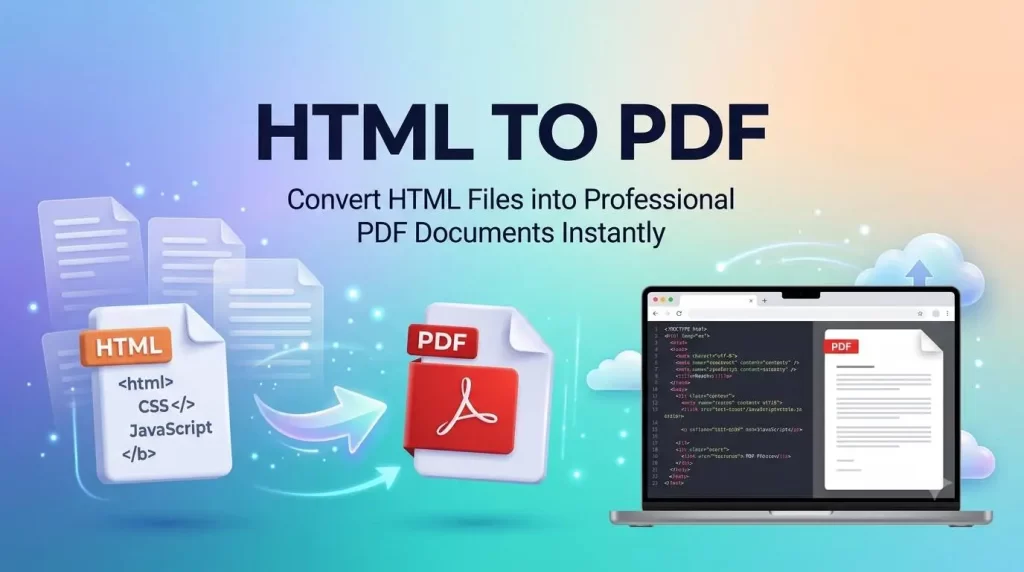
HTML files can be converted into PDF online easily and effortlessly. Converting HTML to PDF is one of the simplest ways to save web pages, invoices, reports, forms, and documents into a universal, professional format.
Using an HTML File to PDF converter, you can transform HTML documents into high-quality PDF files while maintaining the original formatting, layout, images, fonts, and hyperlinks. Whether you are a web developer, student, small-business owner, or professional designer, this conversion tool is free, fast, secure, and accurate—with no software download or registration required.
What is an HTML File to PDF Converter?
An HTML File to PDF Converter is a software tool that uses the HTML-to-PDF conversion process to transform HTML documents into fixed-layout PDF files. It is the best choice when you need to store and transmit HTML documents while preserving all their data and appearance.
Unlike HTML pages, which require an internet browser and rendering to display content correctly, a PDF has the ability to reproduce the exact formatting and layout of:
- Tables
- Images
- Fonts
- Styles
- Page contents
As a result, PDF files are widely used for official letters, user manuals, invoices, reports, and publishing web content in a clean, professional manner.
Our HTML File to PDF Converter ensures that your converted file looks exactly like the original HTML document.
Why Do You Need to Convert HTML to PDF?
There are several compelling reasons to convert HTML files to PDF.
Preserve All HTML Formatting
The converter retains formatting, graphics, and overall layout, so you get a professional look and feel even after conversion.
Professional Document Creation
For businesses, it is the best option to create contracts, proposals, and client invoices in PDF format because PDFs maintain all content and images while being easily accessible.
Offline Access and Storage
PDF files can be printed, stored offline, transmitted, and protected. They offer a consistent layout regardless of the operating system—for example, a PDF converted from Linux will look the same on an Android device.
Superior Output Quality
Many browsers include a built-in “Save As PDF” function or can send output to a virtual PDF printer. However, a dedicated online HTML to PDF converter offers superior output quality and broader browser-independent file conversion.
Key Benefits of Using an HTML to PDF Converter
An HTML to PDF converter is helpful in many ways, whether you are a developer, student, business owner, designer, or researcher.
Excellent Formatting Preservation
The conversion is almost exact to the original document and includes all elements such as:
- Styles
- Tables
- Hyperlinks
- Images
- Headers and footers
- Page margins
- Fonts
The output quality is exactly what you want—close to the original HTML file.
Excellent Print Quality
A printed PDF document will look exactly like the source document. This is why most companies create sales invoices and marketing documents using HTML-to-PDF conversion.
High Security
We secure and maintain full confidentiality of all files while they pass through the converter. Using secure encrypted connections, we remove data from the server when it is no longer needed. It is the safest online converter for HTML documents, ensuring a high security standard.
Awesome Features of Our HTML File to PDF Converter
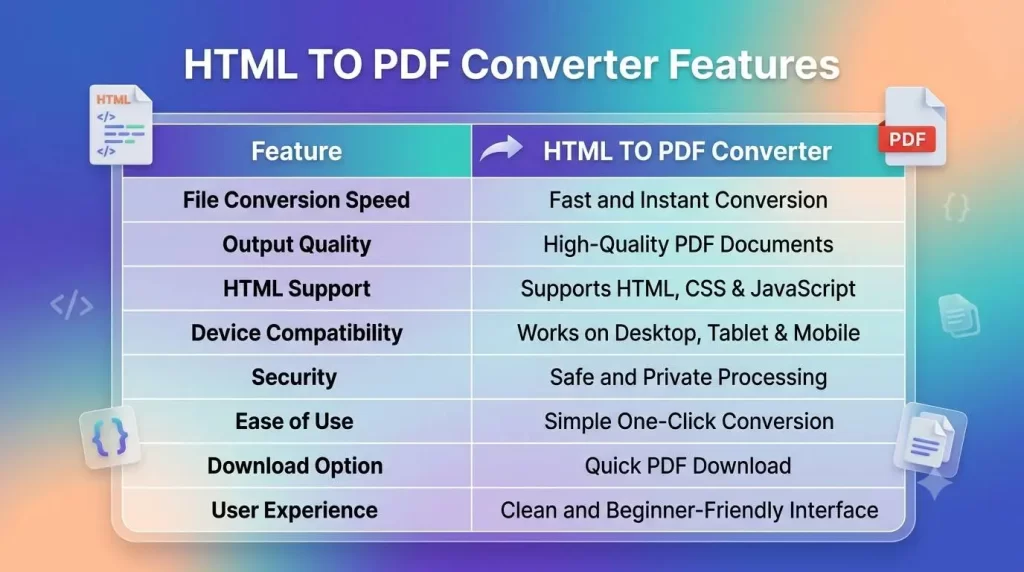
Our converter is made for you with many exciting and great features.
- Fast Speed – Transfer any type of file within seconds.
- Secure – Files remain protected and private throughout the entire conversion process.
- High Quality – Maintains the exact layout and format of the original file.
- Unlimited Uploads – Convert any number of files at no cost.
- Print-Ready – Choose page sizes as you desire for your document.
- Supports Multiple Formats – Upload
.html,.htm, and local HTML files. - Free to Use – No hidden charges or subscriptions.
Converting a saved web page from your browser directly into a PDF that can be printed and read later is an easy affair. Download your PDF document and read it whenever and wherever you like—without any hassle.
Who Can Benefit from an HTML File to PDF Converter?
Many individuals and organizations find this tool extremely useful.
Developers
Generate reports, invoices, certificates, and documentation from HTML templates.
Students
Save educational websites, lecture notes, and homework for offline reading.
Teachers
Design printable worksheets, classroom materials, and content.
Businesses
Create customer-facing documents such as:
- Contracts
- Proposals
- Quotations
- Company brochures
- Service manuals
- Corporate policy manuals
Designers
Share prototypes, design previews, and maintain webpage designs.
Researchers
Save and archive online articles and reports for future reference.
Common Use Cases of an HTML to PDF Converter
There are many practical applications for converting HTML to PDF.
Business-to-Business Documents
- Quotations
- Contract documents
- Sales reports
- Invoices
- Brochures
- Company profiles
HR Documents
- Employee manuals
- Policy manuals
- HR reports
Online Forms (Downloadable)
- Registration forms
- Application forms
Legal Documents
- Non-disclosure agreements
- Contracts
- Service agreements
Retail Businesses
- Product catalogs
- Online shopping confirmations
News Sites and Publishers
- News articles
- Online training manuals
- Customer support information
Designers and Developers
- Product demos
- Web application prototypes
- Client proof of design
- Online documentation
- HTML landing pages
- HTML templates
How Does an HTML to PDF Converter Work?
An HTML File to PDF Converter is a standalone program that converts an HTML file into a Portable Document Format (PDF) file without altering or losing its original appearance.
The Conversion Process:
- Reads the HTML Document and CSS – The converter reads both the HTML structure and its Cascading Style Sheets (CSS).
- Renders the Page – It renders the page exactly as it would appear when opened in a web browser.
- Saves as PDF – The rendered result is saved as a high-quality PDF file.
What the Converter Processes:
- HTML elements
- CSS stylesheets
- Images
- Tables
- Fonts
- Lists
- Headers
- Footers
- Page layouts
- Embedded media
A professional HTML to PDF converter ensures that the converted document looks the same regardless of the PDF reader or operating system used to display it. The PDF will reflect all original layout and content, looking nearly identical to the on-screen version.
Supported File Formats
Most file formats based on HTML can be converted to PDF. Commonly, HTML and HTM files are the most likely to be converted.
Supported File Types Include:
- Local HTML files
- Saved web pages
- HTML templates
- Email templates
- Landing pages
- Web development content
- Static websites
Advanced features include built-in support for CSS, JavaScript, and many other web technologies.
HTML to PDF Converter vs. Browser Print
Many browsers include a “Save as PDF” option, but a dedicated HTML to PDF converter offers superior results.
| Feature | HTML to PDF Converter | Browser Print |
|---|---|---|
| Formatting preservation | Excellent | Moderate |
| CSS support quality | Excellent | Limited |
| Tables | Fully preserved | May break |
| Images | High Quality | May vary |
| Hyperlinks | Preserved | Partially lost |
| Professional output | Yes | Sometimes |
| OCR required | No | No |
| Browser independent | Yes | No |
| Printability | Excellent | Good |
A printing result will be far better from an HTML File to PDF Converter than from a web page’s built-in print function—the output is clean, professional, and contains fewer stray graphics.
Step-by-Step Guide: How to Use the Converter
Using our HTML File to PDF Converter is quick and easy.
Step 1: Upload Your HTML File
Select the HTML or HTM file you wish to convert. You can also drag and drop the file for faster uploading.
Step 2: Process the Document
The converter reads your HTML structure, CSS styles, images, fonts, tables, and other elements to prepare an accurate rendering.
Step 3: Convert HTML To PDF
Click the convert button. The tool renders the page, applies styling, preserves formatting, and generates a print-ready PDF—all within seconds.
Step 4: Preview the HTML To PDF
Before downloading, review the document to check:
- Text formatting
- Images and tables
- Hyperlinks
- Headers and footers
- Margins and page breaks
Step 5: Download Your PDF
Click the download button to save your PDF file. Open it with any PDF reader, such as Adobe Acrobat, Chrome, Edge, Firefox, or Apple Preview.
Best Practices for Converting HTML to PDF
To achieve the best results, follow these simple guidelines.
- Use Well-Structured HTML – Clean, organized code ensures better rendering and fewer formatting issues.
- Optimize CSS Before Converting – Clean CSS ensures better spacing, consistent typography, proper alignment, and accurate page breaks.
- Use High-Resolution Images – High-quality images result in professional-looking PDFs, especially when printed.
- Embed Web Fonts Where Possible – Embedded fonts help maintain consistent typography across all devices.
- Preview Before Sharing – Always verify layout, tables, images, hyperlinks, headers, footers, margins, and page numbering.
Common Mistakes to Avoid In HTML To PDF
Even the best converter cannot fix poorly prepared HTML. Avoid these common pitfalls.
- Using Broken HTML – Invalid markup can cause the final PDF to appear incorrectly.
- Ignoring CSS Optimization – Too many or poorly structured CSS files can cause layout inconsistencies.
- Using Low-Resolution Images – Small images may appear blurry in the final PDF.
- Forgetting Print Styles – Without print-friendly CSS, page breaks and margins may not render properly.
- Skipping Final Review – Always check the PDF for errors before printing or sharing it with clients.
Security and Privacy
We take your document security seriously.
Security Features Include:
- HTTPS encrypted uploads
- Secure processing servers
- Private file handling
- Automatic file deletion after conversion
- Temporary storage only
- Confidential document protection
These measures ensure that your valuable business and personal documents remain safe throughout the conversion process.
Frequently Asked Questions (FAQs)
What is an HTML File to PDF Converter?
It is a program that converts HTML files into fixed-layout PDF documents while preserving formatting, images, tables, hyperlinks, and page structure.
Is an HTML to PDF Converter free to use?
Yes, many online converters offer free basic conversion. Premium versions may include advanced features like batch conversion and customization.
Can I convert a whole page?
Yes, the converter will process the entire webpage, including content, images, links, and CSS formatting.
Will my formatting be retained?
Yes, professional converters maintain fonts, layouts, tables, pictures, and page structure wherever possible.
What devices can I use to convert HTML to PDF?
The tool is available on Windows, macOS, Linux, Android phones, iPhones, iPads, and Chromebooks via any web-supported browser.
Is uploading my file IN HTML to PDF safe?
Yes, trusted converters use encrypted connections, secure processing, and automatically delete files after conversion.
Do I have to install software?
No, the HTML File to PDF Converter operates as a browser-based service, so no installation is required.
Can I print the HTML to PDF after conversion?
Yes, the converted PDF is optimized for printing with maintained document layout and quality.
Why convert HTML to PDF instead of sharing HTML?
Printed, archived, and shared documents need to be read on many platforms (Windows, Mac, Linux, iOS, Android). A fixed-format document like PDF offers a superior, consistent solution.
Why Use Our HTML File to PDF Converter?
Our HTML File to PDF converter is designed to make quick, accurate, and secure document conversion easy for developers, students, enterprises, and organizations. Whether you are transforming web pages, websites, reports, or technical documents, the outcome will be top-quality PDFs that do not lose any data or CSS formatting.
Key Advantages:
- Convert HTML to PDF quickly
- High-quality PDF rendering
- Preserves HTML formatting and CSS styling
- Implements pictures and hyperlinks correctly
- Print-ready PDF output
- Browser-based conversion – no installation
- No sign-up required
- Secure HTTPS encryption
- Automatic file deletion
- User-friendly mobile interface
- Cross-platform compatible
- Reliable document processing
- Free to use online converter
Our converter provides high performance, high quality, and secure results regardless of the type of document you create—be it an invoice, contract, report, educational material, proposal, or archived webpage.
Final Thought
The HTML File to PDF Converter is an invaluable tool for anyone who needs to convert web-based content into professional, portable, print-ready PDF documents. While editable HTML files can appear differently across browsers, PDFs maintain layouts, formatting, images, hyperlinks, fonts, tables, and overall appearance consistently every time.
From preparing reports for clients who may not have web browsers, to archiving research, to printing important documents, converting HTML to PDF helps students, businesses, and everyday users extract the best quality from their documents with superior ease of sharing, compatibility, and presentation.
Using the correct process—optimizing your CSS styles, images, and quality HTML before conversion—guarantees that the output is of the highest standard.
Try Our HTML to PDF Converter Now
Need to convert HTML files to high-quality PDFs? Our HTML To PDF Converter can easily turn a web page, a document, an invoice, a contract, or an enterprise document into a PDF file in less than a minute. Just upload your file, click convert, and you will receive a secure, print-ready PDF from any device.
Save time, increase work efficiency, and produce professional PDF files from your laptop, desktop, or mobile device—all without installing software or completing a sign-up form.
Convert your HTML files to PDF for free today—fast, secure, and incredibly user-friendly.