
[pdfwp_tool tool=”nup-pdf”]
Itroduction
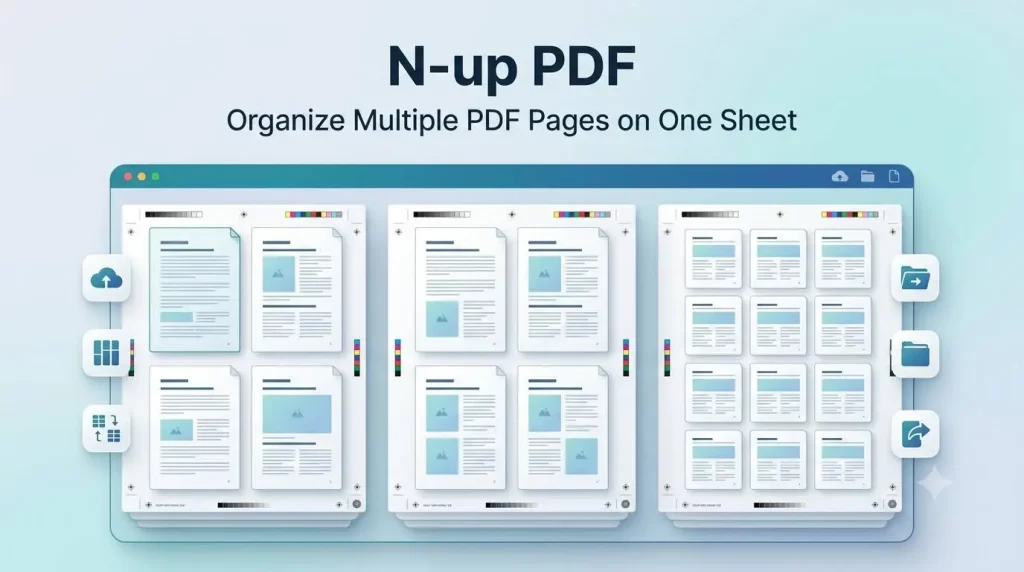
N-up PDF tool enables you to place several PDF pages on one sheet of paper or a single PDF page. Rather than printing or viewing each page individually, it lets you put together 2, 4, 6, 8, 9, 16 or numerous pages into a uniform grid. This way you can have your document neatly consolidated on one page.
If you’re a student compiling study guides, an educator developing course handouts or a businessperson arranging financial reports, an N-up PDF utility can help you save time on document management.
N-up formatting is not like the case of combining two or more separate PDF files, here, all the individual pages are present and only the page formation has changed.
Quick Answer (Featured Snippet)
An N-up PDF is a tool that arranges several PDF pages onto a single output page. The tool helps you save paper and printing costs as it allows you to print, organize and present your documents more effectively and concisely into one file.
Why Use an N-up PDF Tool?
People will print out all sort of things without ever considering how much paper they are using up. A N-up layout allows to show multiple pages on one paper without reducing the text to unreadable size.
Some of the biggest advantages include:
- Save paper
- Lower printing expenses
- Reduce ink consumption
- Create compact documents
- Improve document organization
- Simplify presentations
- Set out study materials in a way that make them easier to carry
- Reduce environmental impact
- Improve document sharing
- Increase printing efficiency
Benefits of Using an N-up PDF
Save Paper and Printing Costs
One of the biggest benefits of using N-up PDF tools is the reduction of paper usage. To print four pages of a document on a single sheet of paper instantly save 75% of your paper.
For companies that print in excess of 100 pages each day, N-up printing can lead to substantial cost savings by decreasing the amount of the paper used.
Reduce Ink and Toner Usage
When you print fewer sheets of paper, of course, you will spend less ink and toner. To cut down on costs without reducing access to information, organizations such as business institutions, schools, universities, and offices often opt to N-up.
Easier Document Organization
Save paper, rather than throwing away paper, you can group several pages in smaller quantity of pages. Your report, lecture note, manual, presentation will be easier to handle.
Perfect for Study Notes
Students use N-up format quite often when writing notes during a lecture.
Benefits include:
- Carry fewer papers
- Review multiple pages simultaneously
- Compare different sections quickly
- Highlight important concepts
- Save notebook space
Ideal for Business Reports
In business, we typically print the long reports.
Using an N-up PDF helps:
- Reduce printing expenses
- Share compact reports
- Improve meeting efficiency
- Review multiple pages at once
- Simplify document handling
How Does an N-up PDF Tool Work?
An N-up PDF tool rearranges the pages in the same order; it doesn’t change what content is on them.
The typical process includes:
- Upload your PDF document.
- Select the desired N-up layout.
- Choose page order.
- Set margins and spacing if needed.
- Preview the output.
- Generate the new PDF.
- Download the optimized file.
The original file remains as it is, and the newer one uses a more page efficient layout.
Popular N-up PDF Layout Options
| Layout | Pages Per Sheet | Best Use Case |
|---|---|---|
| 2-up | 2 pages | Reading documents |
| 4-up | 4 pages | Study notes |
| 6-up | 6 pages | Handouts |
| 8-up | 8 pages | Draft reviews |
| 9-up | 9 pages | Reference materials |
| 16-up | 16 pages | Large manuals |
| Custom Layout | User-defined | Professional printing |
Key Features of an N-up PDF Tool
Multiple Layout Options
The latest N-up PDF tools enable a user to pick from a choice of several different page layouts.
Common layouts include:
- 2 pages per sheet
- 4 pages per sheet
- 6 pages per sheet
- 8 pages per sheet
- 9 pages per sheet
- 16 pages per sheet
- Custom layouts
High-Quality Output
A dependable N-up PDF generator will preserve text legibility and image crispness when combining pages. It should produce a printable, readable results.
Fast Processing In N-up PDF
Online N-up PDF file tools can process the file within a few seconds, no matter the size. Timely process can also be very important when dealing with a number of files.
Secure File Handling
Reliable PDF tool encrypts your files using SSL and wastes no time in erasing your documents after successful PDF conversions, so you can restore order in your messy data.
Cross-Platform Compatibility In N-up PDF
Most online N-up PDF tools are compatible with various devices, such as:
- Windows
- macOS
- Linux
- Android
- iPhone
- Tablets
In general, there is no need to install any software.
Who Should Use an N-up PDF?
Students
Students use N-up layouts to produce miniature revision aids, hand outs and revision notes that can be carried around easily and are convenient to study from.
Teachers
Teachers will be able to create handouts, worksheets, quizzes and shelflike reference materials in the classroom—all while minimizing costs to print.
Businesses
Making use of N-up PDF tools, organizations can plan sales reports, presentations, contracts, invoices and meeting documents etc.
Government Offices
Government departments are bogged down with a substantial amount of paperwork. N-up formatting decreases storage space and costs associated with printing.
Graphic Designers
In the printing process, designers often scan and compare several pages of the document prior to printing the ultimate copy. N-up pages can be used when examining pages for quality assurance.
Best Practices for Using an N-up PDF
To achieve the best results:
- Select a layout that maintains legibility
- Whenever it is suitable, set the page to be portrait
- Is there a preview option before download?
- When printing long, detailed documents, do not print too many pages on a single sheet
- Choose higher page numbers only for reference documents
- Ensuring margins are balanced will help be more accurate in the printing process
- Ensure the image is readable prior to exporting the final PDF
Common Use Cases for N-up PDF
Here are some of many possible situations where N-up PDF utility is helpful:
- Printing lecture slides
- Creating study guides
- Preparing business reports
- Reviewing legal documents
- Sharing project drafts
- Organizing training manuals
- Printing presentation notes
- Reducing paper usage in offices
- Archiving important files
- Creating compact reference documents
How to Use an N-up PDF Tool
N-up PDF tools are easy to use and follow only a few simple procedures. Many of the free online tools have a user-friendly interface that enables you to exchange pages of a PDF without the need for any software installations.
Step 1: Upload Your PDF File
Choose the PDF file that you want to convert from your desktop PC, Notebook, Smartphone, Tablet or Cloud. Single file or multiple files can be uploaded. Several online applications permit drag-and-drop, start the uploading faster.
Step 2: Choose the N-up PDF Layout
Then, choose the quantity of pages you want to be printed on each sheet. Available options commonly include:
- 2 pages per sheet
- 4 pages per sheet
- 6 pages per sheet
- 8 pages per sheet
- 9 pages per sheet
- 16 pages per sheet
- Custom page layouts
Select a layout that is suitable for your document and printing needs.
Step 3: Configure Additional Settings In N-up PDF
Several professional N-up PDF tools enable you to personalise the output with options including:
- Portrait or landscape orientation
- Page order
- Margins
- Spacing between pages
- Border around pages
- Automatic page scaling
- Size (A4, Letter, Legal, etc.)
These are used to make the final document look clean and professional.
Step 4: Preview the Output
Always preview the generated layout before choosing to download. This is important because:
- Text readability
- Image alignment
- Correct page order
- Margin consistency
- Overall appearance
Step 5: Download Your New N-up PDF
When you are happy with the preview, click create new PDF and then download it. The new PDF will be downloaded to your computer. Your original PDF file will not be affected.
Advantages of Using an Online N-up PDF Tool
No Software Installation
As all of the online editing tools are running from your browser, there is no need to download applications from your desktop.
Works on Any Device
Most online N-up PDF tools support:
- Windows PCs
- macOS computers
- Linux systems
- Android devices
- iPhones and iPads
- Chromebooks
This offers you the freedom to organize your PDFs from anywhere.
Fast Processing Speed
Contemporary online technology employs well-tuned computers to rapidly read files with up to hundreds of pages.
Secure File Processing
Secure tools utilize secure connection (HTTPS) and deletes uploaded files after conversion. With this the sensitive documents are away from any trespassers.
User-Friendly Interface
You don’t need any advanced technical knowledge. The majority of PDF N-up tools are suitable for beginners and experts.
N-up PDF vs Traditional PDF Printing
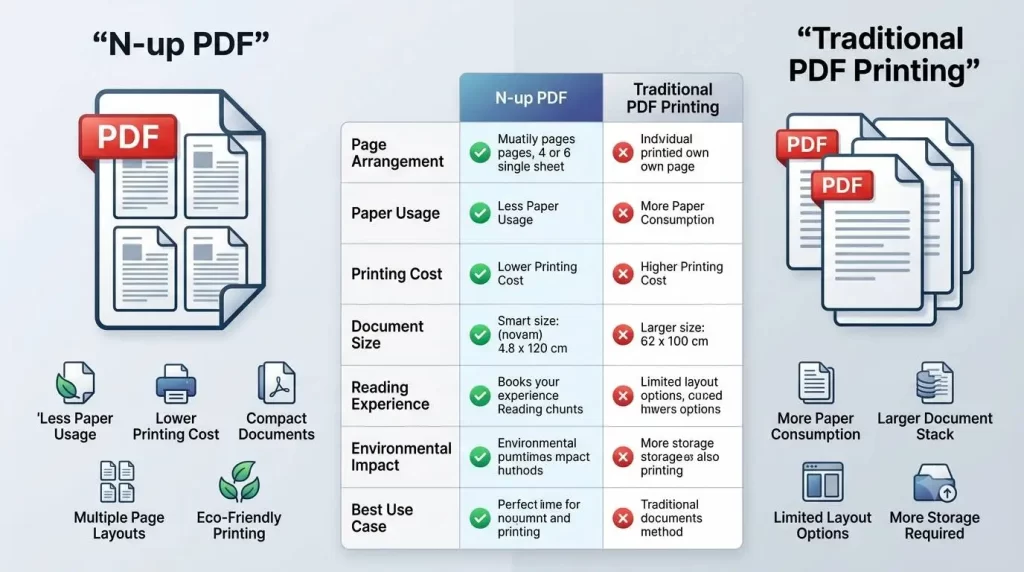
| Feature | N-up PDF | Traditional Printing |
|---|---|---|
| Pages per Sheet | Multiple | One |
| Paper Usage | Low | High |
| Printing Cost | Lower | Higher |
| Ink Consumption | Lower | Higher |
| Storage Space | Less | More |
| Portability | Excellent | Limited |
| Document Review | Easier | Standard |
| Eco-Friendly | Yes | Less Efficient |
Best N-up PDF Layouts for Different Purposes
2-up Layout
A 2-up layout has two pages on one sheet. It is suitable for:
- Reading eBooks
- Reviewing reports
- Printing contracts
- Side-by-side comparisons
4-up Layout
The 4-up option is probably the most common layout because it is easy to read while still saving paper.
Best for:
- Student notes
- Business documents
- Training manuals
- Classroom handouts
6-up Layout
A 6-up layout is commonly used for:
- Conference materials
- Internal reviews
- Presentation summaries
- Workshop documents
8-up Layout
For quick reference rather than thorough reading use 8-up.
Suitable for:
- Quick reference guides
- Index documents
- Presentation thumbnails
- Draft reviews
16-up Layout
A 16-up layout maximizes paper savings and works well for:
- Large manuals
- Page indexing
- Thumbnail overviews
- Proofreading page order
Common Applications of N-up PDF
An N-up PDF application can benefit multiple fields and occupations.
Education
Teachers and students use N-up layouts for:
- Lecture slides
- Exam preparation
- Homework packets
- Revision notes
- Research materials
Business
Companies benefit by organizing:
- Annual reports
- Sales presentations
- Financial documents
- Meeting agendas
- Employee handbooks
Legal Industry
Law firms frequently print multiple document pages on a single sheet of paper to read through lengthy legal documents with less paper.
Healthcare
Hospitals and clinics use compact document layouts for:
- Training manuals
- Medical guidelines
- Administrative paperwork
- Internal documentation
Government Offices
Government agencies face the challenge of filing and storing huge amount of documents. N-up PDF offers a great help by accelerating storage factor and shrinking printing cost.
Tips for Getting the Best Results In N-up PDF
To produce a professional-looking N-up PDF:
- Make sure to use high-res source files
- Choose a suitable page layout
- Try not to put too many elements on one small area of text
- A preview before you download
- Print out a test page if desired
- Select Landscape and do this for width documents
- Maintain uniform margins
- Check the order of the pages
Common Mistakes to Avoid
Though the N-up PDF tools are simple, a few common errors can make the file difficult to read.
Choosing Too Many Pages In N-up PDF
Including an excessive number of pages on one sheet.
Ignoring the Preview
Always preview to see if there are problems with your formatting or alignment before creating the final PDF.
Using the Wrong Orientation
Portrait or landscape orientations determine how the pages will fit onto the sheet. Select the one that suits your document best.
Printing Without Testing
Print one sample page for essential documents to double-check.
Forgetting Margin Settings In N-up PDF
The correct margins ensure nothing gets cut off when printing the page.
Why Businesses Prefer N-up PDF
Many companies go through hundreds of printed pages each day. With N-up PDF layouts, companies can:
- Lower operational expenses
- Improve document organization
- Reduce storage requirements
- Increase printing efficiency
- Support environmentally friendly practices
- Simplify internal document reviews
These advantages ensure N-up PDF tools are an efficient choice for both small and larger offices.
Advanced Tips for Using an N-up PDF Tool
The simple N-up layouts are very suitable for most printing. However there are several advanced techniques to enhance the printouts.
Select the Right Paper Size
The paper size you select will impact the readability of your text. Typical choices are:
- A4
- Letter
- Legal
- A3
- Tabloid
If you are printing a document that includes a lot of text or graphics, try printing on a larger size of paper to keep the quality.
Use Landscape Orientation for Wide Documents
Usually the landscape position offers more horizontal space, so it is great for:
- Presentation slides
- Spreadsheets
- Charts
- Tables
- Infographics
Balance Readability and Paper Savings
A 16-up arrangement uses the least amount of paper, but it’s too squeezed for small text files.
For users with:
- 2-up enables the best readability
- 4-up offers the optimum combination of readability and savings
- 6-up or 8-up is effective for summaries and handouts
- 16-up is preferable for thumbnails and a quick snapshot of the document
N-up PDF vs. Other PDF Tools
Choosing the right PDF tool would depend on your requirements. Here shows how an N-up PDF tool differs from others.
| Tool | Primary Purpose | Best For |
|---|---|---|
| N-up PDF | Arrange several pages on a single page | Print more compact and simplify document review |
| Batch Merge PDF | Merge several files into a single file | Categorize text files |
| Split PDF | Break apart one PDF into multiple files | Circulate particular pages |
| Compress PDF | Make file smaller for faster uploading and e-mailing | Saving storage space |
| Rotate PDF | Page rotation and correct orientation | Repair scanned files |
| Crop PDF | Eliminate unnecessary page regions | Page layout more orderly |
| Extract Pages | Save your chosen pages | Remembering vital details |
Tip: Numerous internet PDF tools enable you to combine them. For instance, you could combine the files first, then apply the N-up layout to maximize printing efficiency.
How N-up PDF Supports Eco-Friendly Printing
One of the major reasons that people and companies are using N-up PDF software is to cut down on paper usage.
Environmental Benefits
- Prints a great deal on one single sheet of paper
- Slows down deforestation by reducing the consumption of paper
- Saves a lot of ink and toner
- Reduces energy use associated with printing
- Reduces waste created by the office
- Promotes responsible document handling
If you have a high print volume, then this savings can certainly add up over time for business.
Why Choose an Online N-up PDF Tool?
There are plenty of online N-up PDF tools that are rapidly gaining popularity, mainly because they offer the ease of use along with the powerful features.
Key Advantages
- No software installation required
- Fast browser-based processing
- Secure file encryption
- Automatic file deletion after processing
- Works seamlessly on all popular operating systems
- Available anywhere you have an internet connection
- Simple enough for beginners, powerful enough for pros
Such features are making online solutions a good option for students, teachers, companies and distant teams.
EEAT: Why You Can Trust This Guide
You need to be prepared with dependable tools and informative guides when working with PDF documents. The guidelines in this book adhere to the principles of EEAT – Experience, Expertise, Authority, and Trustworthiness – to provide helpful and trustworthy advice for all users of PDF documents.
Experience
These suggestions demonstrate procedures followed by students, instructors, and company workers who frequently modify and produce a large quantity of digital paperwork.
Expertise
The informative piece explains how N-up PDF layouts function and how you may print your document most favorably while optimizing your page setup.
Authoritativeness
The techniques outlined align with widely accepted PDF management practices and guide the user to choose the most beneficial option while modifying the layout of documents.
Trustworthiness
A worthy PDF application must meet the following criteria:
- Have protected HTTPS online protocols
- Safeguard every document submitted
- Quickly eliminate uploaded paperwork after usage
- Preserve the authenticity of your initial PDFs
- Produce reliable output at every use
Frequently Asked Questions (FAQs)
1. What constitutes an N-up PDF?
An N-up PDF file presents numerous pages of a single file on one printed page. Such layouts significantly help reduce paper waste, lower printing expenses, and compress your documents.
2. What is the quantity of pages that can be fitted on one print?
Most N-up PDF applications include pages, such as:
- 2 pages
- 4 pages
- 6 pages
- 8 pages
- 9 pages
- 16 pages
Some advanced applications allow custom page arrangements.
3. Will my digital files be changed?
No. Your PDF will not be altered. Such applications will produce a new PDF with your desired page arrangements.
4. Are N-up PDFs suitable for presentations?
Yes. This layout makes excellent preparation materials if you’re printing presentations, speeches, handouts, and course reviews.
5. Can I use N-up software on my phone?
Yes, many N-up applications can function within mobile browsers on Android and iOS. This means that no software needs to be uploaded.
6. How secure is my PDF data?
Trusted PDF solutions use encrypted connections to defend uploaded docs and eliminate submitted files after use. Always choose one that clearly discloses privacy practices.
7. Which PDF format is optimal?
The correct selection all depends on your purpose:
- 2-up: More comfortable reading
- 4-up: A fantastic compromise for print economics
- 6-up: Handouts and critiques
- 8-up: Research, data analysis, etc.
- 16-up: Page thumbnails or a general survey of the print layout
Final Thoughts
For everyone wanting a better layout for their documents, an N-up PDF tool offers the capability to arrange document parts on the very same page. This conserves paper, lowers print-relevant investment, as well as efficiently compresses your document file, making it conveniently accessible whether on a device or physically produced.
Whether you’re preparing for classes, a teacher sorting class materials, dealing with an article, or perhaps just want your file to make an impact on an organization, N-up PDF files offer a simple way to improve the general quality of document sharing.
Select the page arrangements that would certainly fit your requirements, preview prior to downloading and click the corresponding download option, and rely on the file safety measures from the PDF app that you select.
With this framework, an individual can successfully boost how files are taken care of by shrinking and simplifying file layouts while saving cash on ink.